My host is claiming my Chasing Dings website is full of malware. This WordPress-hosted blog is always trying to sell me something. And I pay for it, but not enough, it seems. I am really over being charged for making the very content that makes these guys money.
But, what if my blog just lived here, on the computer where I’m typing, and whenever I wrote a new post here, on my home computer, it automagically got published, but the source of truth, the ownership, never left me?
I know it is possible, as this is exactly what the Daily Blogroll is. The entire run lives on my computer, and I regenerate it every morning and upload the changes to GitHub, where a GitHub Pages job publishes it. And all I do each morning is run a shell script.

I could even automate that by setting up a daily job on my Raspberry Pi.
But… the blogroll is automatically generated and is pretty much the same thing from day to day. Blog posting is a little more creative.
When you’re dealing with a blog post, you have authors and categories and tags and featured images and a front page and navigation and all that. Themes that you can change. Cats who resent that you are typing and not paying attention to them. BACK OFF, WITTEN, I AM BUSY RIGHT NOW. I’ll cuddle later.

And now he’s on my lap. I guess we’re cuddling now.
Anyway. What is Hugo?
Hugo takes a collection of text files in Markdown format, combines them with a theme, and turns them into a collection of HTML files. It’s written in the Go programming language, and the themes are similarly written in Go, and so they can get pretty intricate. But in the end, it’s just a way to keep your content local, and then publish to HTML that lives on the Web.
You still need to host it somewhere. You can host it locally — for instance, on that Raspberry Pi — but that would be slow, but for a low volume blog like mine, it might work.

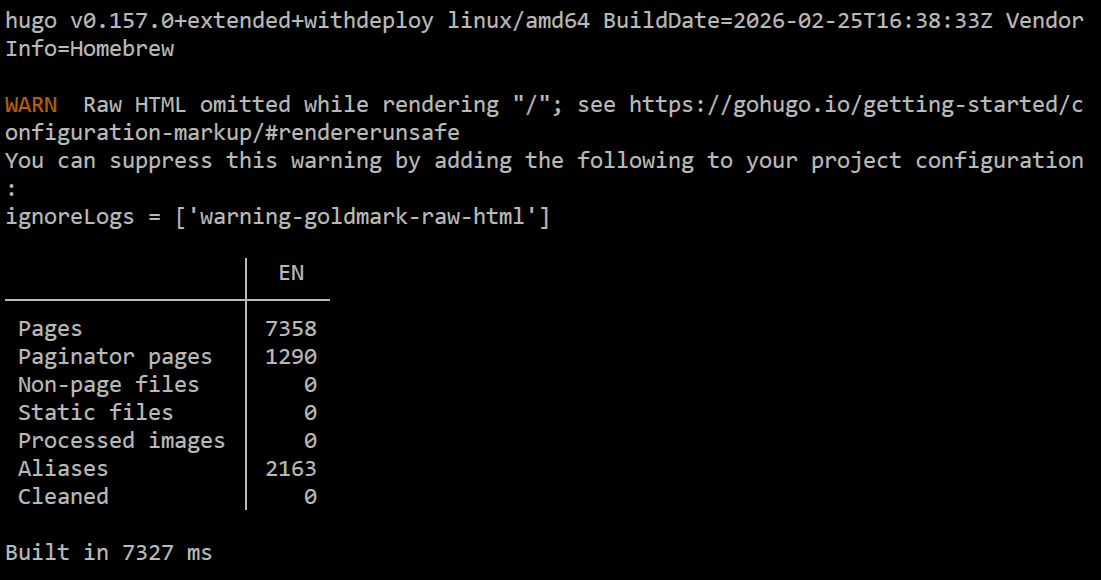
This is my blog as it appears in the PaperMod theme on Hugo. Getting it to this point involved writing a program that took a WordPress XML backup of my blog and converted all 3500+ blog posts to individual Markdown files. All the images still live on WordPress.
And this is where the problems start. There is no integrated editor that uploads and resizes your images. There is no built-in commenting engine, or a way to show comments (there are several solutions to these issues, but they are not part of Hugo). The suggested way to add a new post to a Hugo blog is to open Visual Studio Code and just write one as you would a program, and take care of putting images somewhere on your own.
Now, I may not like that WordPress owns my content, but I do have to admit that they have a pain-free, easy to use, WYSIWYG editor and it handles images and comments and all that stuff without me having to worry about it at all.
I have loads of work to get my blog Hugo-ready. The theming is way off. I want to integrate comments, post history, related content, the daily blogroll, my metric clock. At some point, someone will ask me why I don’t just keep using WordPress, if I generally like working in that sort of fully-featured environment?
And I really don’t know. Hugo blogs usually don’t look super fancy because it is not easy to do super fancy things in them. I really don’t want to be in the business of writing my own editor. There are WYSIWYG Markdown editors; I’d probably use one of them. Images would still be something I’d have to manage.
I dunno. I may give this all up. But for now, I like having this control, and it just took a few hours to do the Markdown conversion, so that’s done now. Maybe I’ll do this blog first. This blog is not a fancy blog.






Leave a Reply to TipaCancel reply